
Step-by-step to pick up a table in csv and export as excel, echedule using crontab and send e-mails in Python language.
Python tips.
TUTORIALS
Felipe Verissimo
12/8/20253 min read


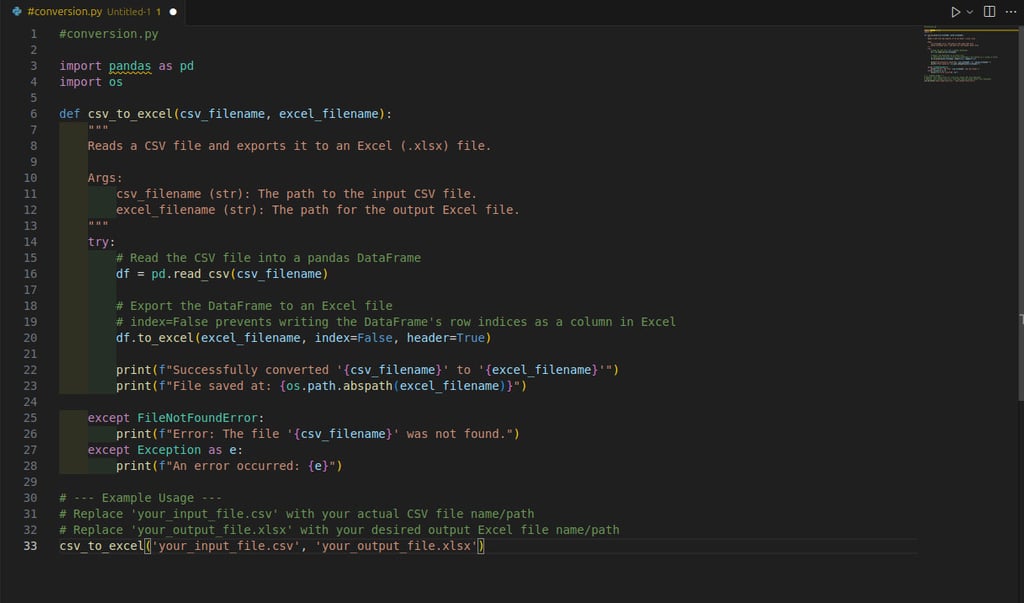
The most efficient way to read a CSV file and export it as an Excel file in Python is by using the pandas library. The process involves reading the CSV into a DataFrame and then writing the DataFrame to an Excel file, which requires the openpyxl or xlsxwriter engine.
Prerequisites
You need to install pandas and an Excel writing engine, such as openoyxl
Use the following simple Python code to perform the conversion:
Python Code for Conversion


Q: how i can schedule update on this file?
A: Scheduling updates to a file in Python depends on your operating system and the method you prefer. Here are a few common methods:

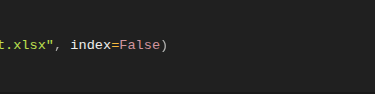
Alternatively, you can export using the pandas.DataFrame.to_excel()
1. Windows Task Scheduler:
You can use the built-in Task Scheduler in Windows to run a Python script at a specified time. Here is how you can do it:
2. Open Task Scheduler.
3. Create a new task.
4. Set the trigger to the desired time or schedule.
5. Set the action to run a program and specify the location of the Python interpreter (e.g. `C:\PythonXX\python.exe`) followed by the script location (e.g. `C:\path\to\script.py`).
6. Save the task and it will run at the specified time.
On Windows:
On Linux and MacOS:
Cron is a time-based job scheduler in Unix-like operating systems. Here is how you can use it to run a Python script:
1. Open terminal
2. Edit the crontab file using the following command: crontab -e
3. Add a new line with the following syntax to run your script at a specific time:


For example, to run youtr script every day at 5 PM, you can add the following line:


4. Save the crontab file and the script will run at the specified time.
5. Third-party tools: There are also several third-party tools that allow you to schedule tasks in Python, such as Apache Ariflow and Celery.
Whichever method you choose, make sure that your script is able to run without user intervention and that it has the necessary permissions to access and update the file.
Q: can i send this table in excel via email to some people?
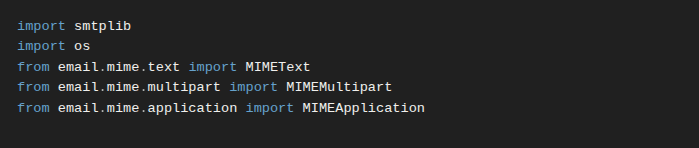
A: Yes, you can send the excel table as an attachment in an email. Here is an example of how you can do this in Python using the smtplib and email libraries:
1.Import the necessary libraries:
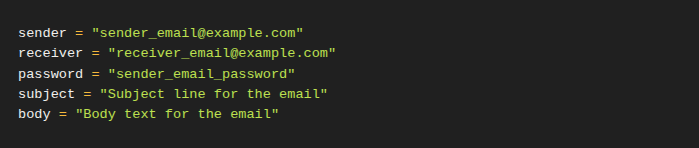
2. Define e-mails details:
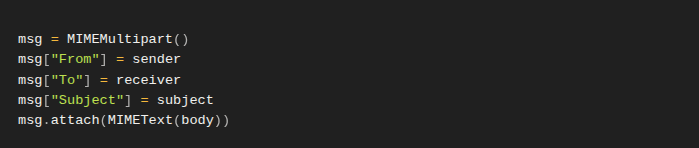
3. Create the e-mail message:
4. Attach the excel file:
5. Send the e-mail:



Weel, this article its a symple step-by-step to how use Python on simple tasks on you day.
Help you can enjoy it, thank you.
Felipe :)